Blog
Print Vintage Poster Downloads at Home

Nov
The best home printer settings for vintage poster downloads depend on your paper, printer and chosen print size. Start with compatible paper, a high-quality print setting and a preview that preserves the artwork’s edges.
Use your printer manufacturer’s instructions alongside this checklist, especially for paper weight, loading and colour management.

Match the paper and printer setting
Start with paper made for your printer type: inkjet paper for an inkjet printer, or paper approved for a laser printer. Check the manufacturer’s guidance for the paper’s maximum supported weight and the correct feed tray.
A matte finish is a useful starting point for poster artwork because it limits reflections under glazing. Try paper around 180–200 gsm if your printer supports it; lighter paper can also work, particularly when the print will sit behind a mount.
In the print dialogue, select the paper type that most closely matches the sheet loaded. This setting controls how the printer handles the paper and ink or toner, so choosing plain paper while using photo paper can affect the result.
Set quality and check colour
Choose High or Best quality rather than Draft for the final print. Setting names vary by printer; the higher-quality option may take longer and use more ink or toner, so make a small test before committing a full sheet.
Print in colour when the artwork includes coloured backgrounds or aged-looking tones, even if it appears mostly monochrome. For a truly black-and-white image, compare the printer’s greyscale setting with colour mode: the two can produce different neutral tones.
The To Catch a Thief 1955 Movie Poster is one downloadable film print you could use to test how your printer handles poster lettering and detail. Inspect the test for banding or blurred type; if either appears, run the printer’s recommended maintenance checks before changing the artwork.
Avoid conflicting colour controls
For straightforward printing, let either the application or the printer driver manage colour, not both. If you use a paper-specific colour profile in an application that supports it, follow the printer and paper makers’ instructions for disabling colour adjustment in the driver.
If you are not using a profile, the printer’s normal colour management and the correct paper-type setting are a sensible starting point. Avoid making several colour adjustments at once: print a test, note the setting you changed and compare it with the first result.
Screen brightness, room lighting and paper finish all affect the comparison. Judge the dry print in ordinary room light rather than expecting an exact match with a glowing screen.
Scale the artwork without losing edges
Set the paper size and orientation to match the sheet in the tray, then check the preview. Actual size prints without scaling; Fit to page reduces or enlarges the image to fit the printable area. Fill page may crop the edges, including poster titles or credits.
Paper and artwork proportions do not always match. The Edgar Albert Guest Poem Quote Print – The Proof of Worth PRINTABLE DOWNLOAD has a stated base size of 18 × 24 inches; fitting that shape onto A4 paper leaves a different margin than cropping it to fill the sheet.
For a frame, measure the visible opening in the mount as well as the frame itself. Leave enough white margin for the mount to overlap the print, and check that the printer’s non-printable edges will not hide any important details.
Use this final checklist before printing the full sheet:
- Confirm the paper type, tray and supported weight.
- Select the intended quality and colour settings.
- Check the preview for orientation, margins and cropping.
- Print a small test, let it dry and assess it in room light.
Decide whether to print at home
Browse printable downloads to find artwork for a home-printing project. If your printer cannot handle the desired size or paper, our guide to choosing a download or print can help you weigh the alternatives.
Shop the collection
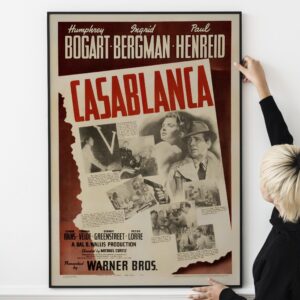
 Casablanca 1942 Movie Poster – Vintage Film Noir, Romance & Golden Age Cinema Art Price range: $5.50 through $230.00
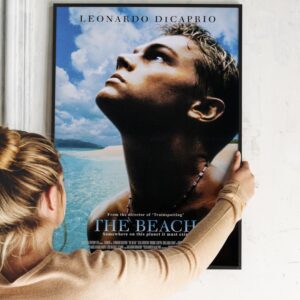
- The Beach / Leonardo Dicaprio 2000 Movie Poster Price range: $5.50 through $230.00
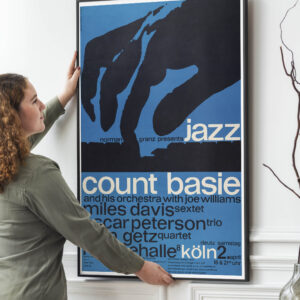
- Count Basie, Miles Davis, Oscar Peterson, Stan Getz, and More 1960 Köln German Concert Poster Price range: $5.50 through $230.00
- Step Into The Beatles' Psychedelic World: Own the Iconic Magical Mystery Tour 1967 Poster Price range: $5.50 through $230.00

Frequently asked questions
Should I use borderless printing for a poster?
Only if you want the artwork to reach the paper’s edges. Borderless modes often enlarge the image slightly, so check that important text and details will not be cut off.
Why does my print look darker than my screen?
A bright screen can make artwork appear lighter than it will on paper. View the test print in the light where it will hang, then adjust cautiously and print another small test.